Not All “Educational” Apps Are Created Equal: How to Spot the Real Learning Tools
Most 'educational' apps are just digital candy. Learn how to spot the few that truly teach using NAEYC’s AEMS framework and turn screen time into real learning moments with your child.
Adrian
8/14/20252 min read
Parents often tell us, “He was glued to this ‘learning’ app, so it must be good for him.”
It’s tempting to believe that time spent on an “educational” app equals time spent learning. But research from the National Association for the Education of Young Children (NAEYC) tells a different story:
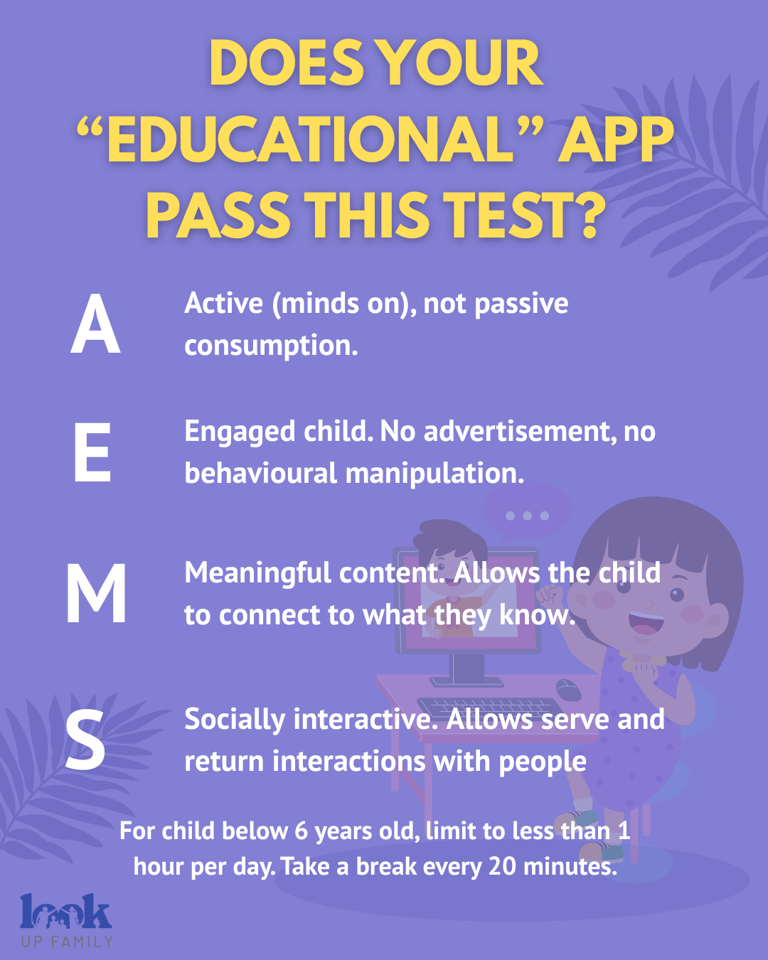
most apps only support genuine learning when they are Active, Engaged, Meaningful, and Social, what’s known as the AEMS framework [1].
Without these four pillars, an app is often just digital candy 🍬 - entertaining, but not nourishing.
The AEMS Framework: Four Pillars of Effective EdTech
NAEYC’s position on technology in early childhood education stresses that apps and digital games can have educational value only when they meet these conditions [1]:
Active (Minds-On)
The child is doing something mentally or physically: manipulating objects, making choices, solving problems.
Example: Tracing letters with a stylus and hearing the sound it makes.Engaged
The experience holds the child’s attention without distracting “bells and whistles” that don’t relate to learning goals. Make sure the app don't have advertisements or behavioural manipulation algorithms to get the child hooked.
Example: A counting game that avoids unrelated pop-up ads or animations.Meaningful
The content connects to the child’s own experiences or existing knowledge.
Example: An app about transport vehicles that they can relate in real life.Social Interactivity
Learning is shared with a caring adult or peer through conversation, co-play, or collaboration.
Example: A parent and child taking turns to solve a puzzle on screen.
Why Co-Play Matters
Even the best-designed app can’t replace human interaction. Studies have shown that language development and learning outcomes are stronger when screen experiences are paired with serve-and-return conversations — back-and-forth exchanges that build brain architecture [2].
When you sit beside your child, narrate what’s happening, and connect it to real life, you’re turning screen time into a bridge for real-world learning.
A Quick “AEMS Test” for Parents
The next time your child is using an app, ask yourself:
Active: Are they thinking, making decisions, or creating — not just tapping?
Engaged: Is their attention on the task, without random distractions?
Meaningful: Does it link to their life, culture, or interests?
Social: Are you or someone else interacting with them about it?
If the answer is “no” for most of these, it’s likely just entertainment and that’s fine in small doses, but it shouldn’t replace interactive, off-screen play.
Try This Tonight
Pick one “educational” app your child enjoys and spend 10 minutes together:
Ask them to teach you how to use it.
Narrate what you see and ask questions (“What’s happening here?” “How does this remind you of…?”).
Relate it to a real-life experience (“That’s like the game we played at the park!”).
You might find their eyes light up more than at any animation.
Key Takeaways
Don’t judge an app by its “educational” label — apply the AEMS test.
Co-play and conversation turn screen time into learning time.
Balance is key: Even the best apps should be part of a mix that includes active, off-screen, hands-on play.
References
[1] National Association for the Education of Young Children (2012). Technology and Interactive Media as Tools in Early Childhood Programs Serving Children from Birth through Age 8. NAEYC & Fred Rogers Center. Retrieved from: https://www.naeyc.org/resources/topics/technology-and-media
[2] Harvard University, Center on the Developing Child. Serve and Return Interaction Shapes Brain Architecture. Retrieved from: https://developingchild.harvard.edu/science/key-concepts/serve-and-return